Series: Building Backarch, engineering decisions from building backarch.com
Every secret your CI pipeline touches is a secret at risk. The risk isn't just "what if GitHub is breached." It's echo $SECRET accidentally appearing in a script. It's a debug step that prints the full environment. It's docker build --build-arg API_KEY=$API_KEY where the key ends up in the image layers. It's an artifact containing a .env file uploaded as build output.
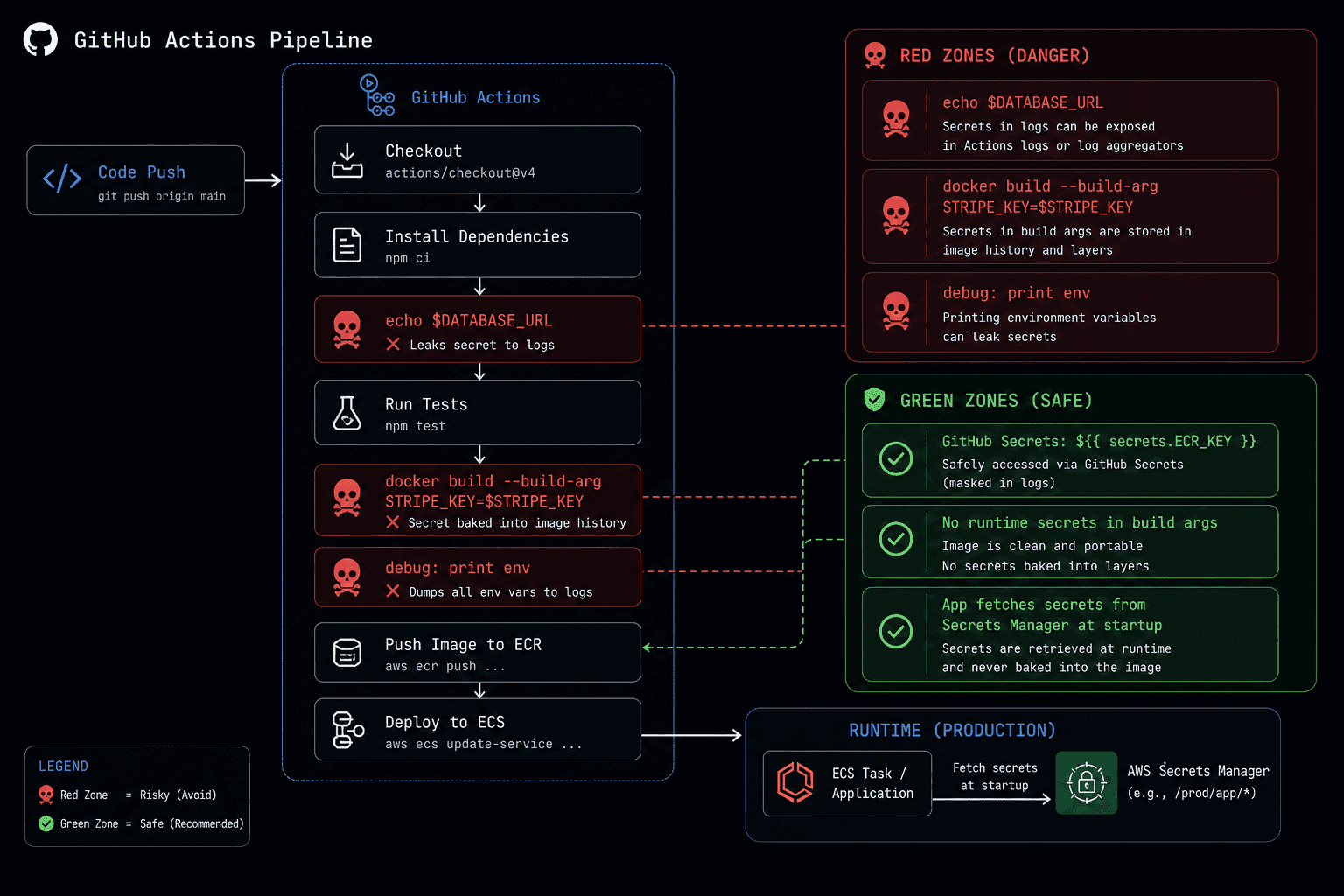
The goal isn't to make CI credential-free (it can't be, it needs to push images and deploy code). The goal is to minimise how many secrets CI touches, how long it touches them, and where they might leak.
The principle: CI gets credentials, not configuration
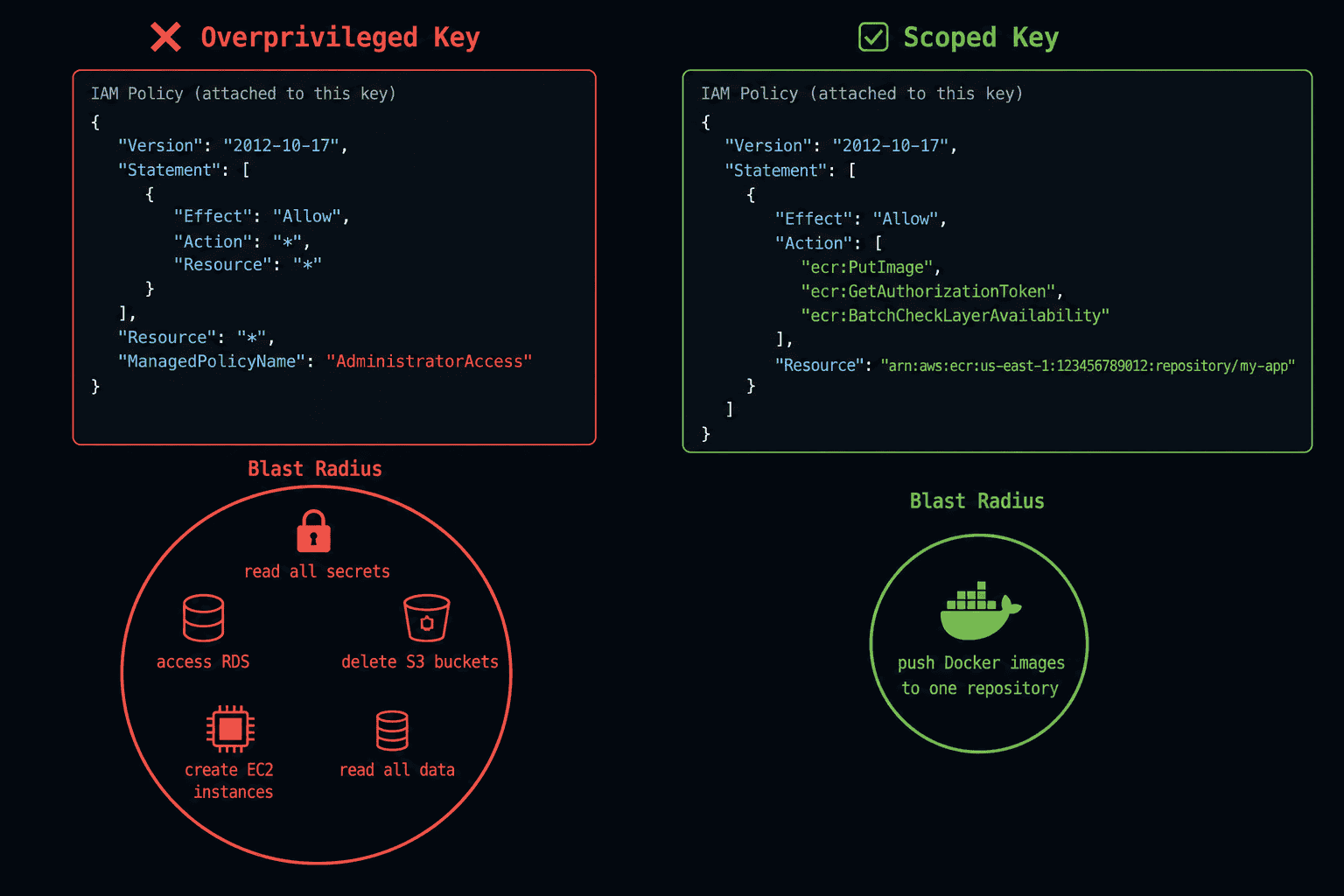
CI needs to do a specific, bounded set of things: push a Docker image to a registry, deploy the new image to production, notify your error tracker of a new release. Each needs exactly the permission it takes to do that, nothing more.
What CI does not need: the database password, the JWT private key, the Stripe API key, the OAuth secrets. Those live in Secrets Manager and are injected into the running container directly, never staged as a GitHub Secret. CI never sees them, never touches them, never has the opportunity to leak them.
CI/CD needs:
  (an assumed AWS role) → push image to ECR, register a task def, deploy
  SENTRY_AUTH_TOKEN     → notify Sentry of releases

CI/CD does NOT need:
  DATABASE_URL              → injected into the task at runtime from Secrets Manager
  JWT_PRIVATE_KEY           → same
  STRIPE_SECRET_KEY         → same
  GITHUB_CLIENT_SECRET      → same
This example uses AWS ECR and ECS. The same partition applies regardless of your stack, Google Artifact Registry, Azure Container Registry, a VPS, the principle is identical: CI gets only what it needs to get code onto the server.
This partition is the entire strategy. The app's secrets never leave the secrets manager. CI gets only what it needs to ship an image. At Backarch, this is a hard rule: if a secret isn't needed to build, push, or deploy an image, it has no business being in a GitHub Secret.
No static AWS keys at all
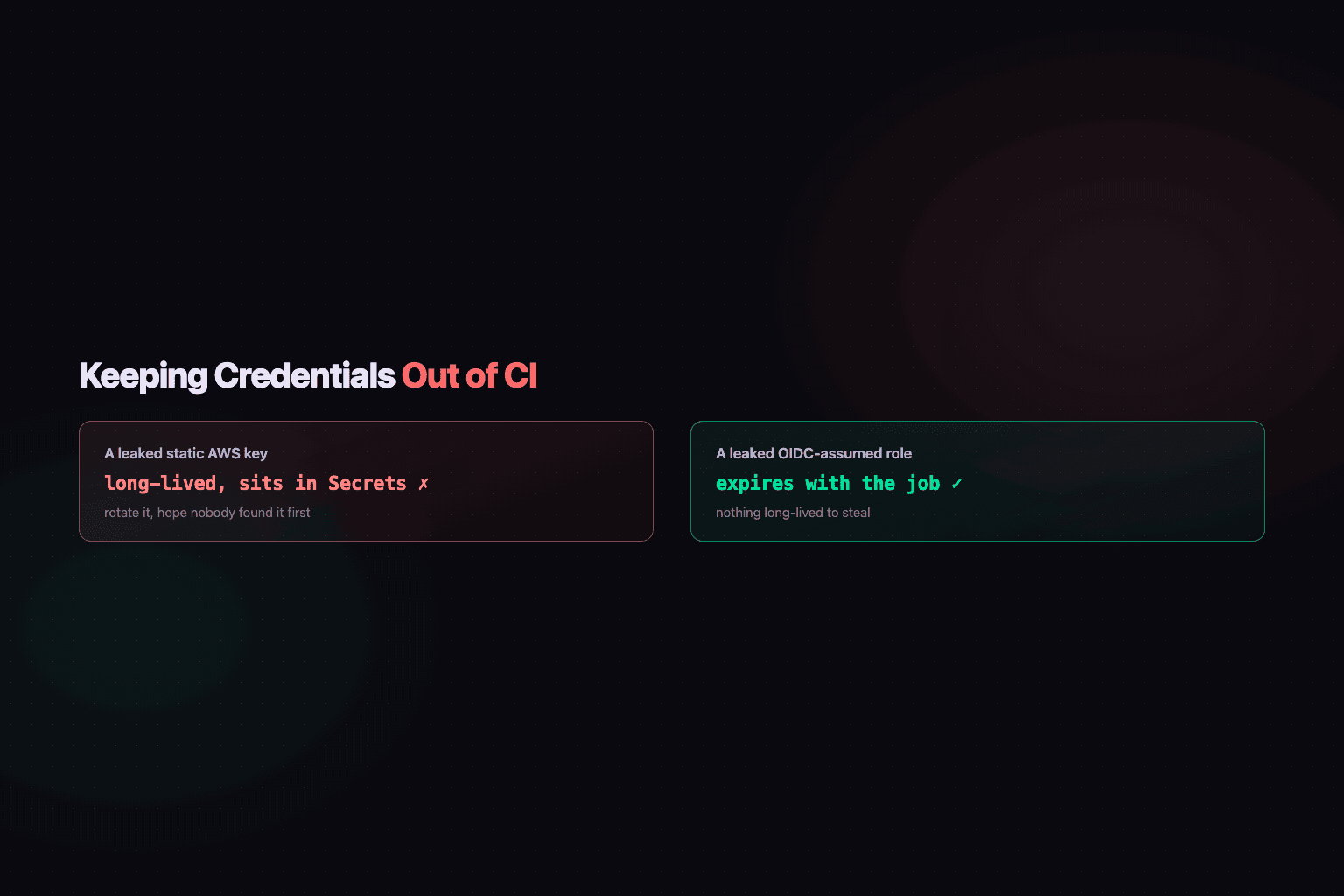
The stronger version of "scope the key" is not having a long-lived key to leak in the first place. CI authenticates to AWS via GitHub's OIDC provider: the workflow requests a short-lived token from GitHub, exchanges it for temporary credentials by assuming a dedicated IAM role, and those credentials expire with the job.
permissions:
  id-token: write
  contents: read

steps:
  - name: Configure AWS credentials
    uses: aws-actions/configure-aws-credentials@v6
    with:
      role-to-assume: arn:aws:iam::<account-id>:role/backarch-ci-deploy
aws-region: us-east-1There is no AWS_ACCESS_KEY_ID or AWS_SECRET_ACCESS_KEY in GitHub Secrets. Nothing exists for an attacker to steal from a compromised workflow run or a misconfigured fork PR that outlives the job itself. The role is still scoped tightly, restricted to exactly what this pipeline needs, but scoping is no longer the only line of defence.
The blast radius of a compromised CI run is bounded by what the role can do and for how long the token lives, not by whatever a leaked static key happened to be capable of six months after nobody remembered to rotate it.
What about deploying the new image?
The naive version of "deploy a new container" is SSH in, stop the old one, start the new one. That pattern needs a long-lived SSH key sitting in GitHub Secrets, causes a brief gap in availability while the swap happens, and gives you no clean way back if the new version is broken.
The deploy step here has no SSH key at all. It's a sequence of AWS API calls, authenticated through the same OIDC role, that hand the actual traffic shift to a managed service:
- name: Register new task definition
  run: |
    aws ecs register-task-definition --cli-input-json "$NEW_TASK_DEF" \
      --query taskDefinition.taskDefinitionArn --output text

- name: Run DB migrations (one-off task, before any traffic shift)
  run: |
    aws ecs run-task --cluster backarch-cluster --launch-type FARGATE \
      --task-definition "$TASK_DEF_ARN" \
      --overrides '{"containerOverrides":[{"name":"backarch-api","command":["sh","-c","alembic upgrade head"]}]}'

- name: CodeDeploy blue/green deployment
  run: |
    aws deploy create-deployment \
      --application-name backarch-api \
      --deployment-group-name backarch-api-dg \
      --revision "$REVISION"
CodeDeploy spins up the new task set alongside the old one, validates it on a test listener, then shifts production traffic over. If a health check fails, it rolls back automatically, no one has to notice and SSH back in to revert. There is no window where the API is down for a swap, and no long-lived credential sitting in a secret store that could unlock a shell on the production host.
Migrations run once, as their own one-off task, before the traffic shift starts. That ordering matters specifically because blue/green briefly runs two versions side by side: if migrations ran inside the normal container startup, the old and new task sets could both try to migrate concurrently.
The docker build credential trap
A common pattern that leaks secrets:
# This bakes the API key into the Docker layer history
docker build --build-arg STRIPE_KEY=$STRIPE_SECRET_KEY .
ARG and RUN instructions that use secrets create intermediate layers containing those secrets. Even if you don't COPY or ENV the secret into the final image, docker history on the built image can often reveal build-arg values.
The correct pattern for secrets that need to be present at runtime (not build time):
# Don't pass runtime secrets to docker build at all.
# The app fetches them from Secrets Manager at startup.
docker build -t $ECR_URI:${{ github.sha }} .
Nothing sensitive in docker build. The Dockerfile doesn't COPY .env. The image contains only code and dependencies. Secrets enter at runtime via the task definition's secrets block, ARNs pointing into Secrets Manager, resolved by ECS when the container starts, never baked into the image.
If a secret genuinely needs to be present at build time (npm install from a private registry, fetching a private dependency), use Docker BuildKit's secret mounts: they're not written to any layer:
# BuildKit secret mount, not stored in any layer
RUN --mount=type=secret,id=npm_token \
    NPM_TOKEN=$(cat /run/secrets/npm_token) npm install
The .env file in .gitignore is table stakes, not a strategy
# .gitignore
.env
.env.*
!.env.example
*.pem
private.pem
*-credentials.json
.env.example is committed with placeholder values: it documents the shape of the configuration without exposing any real values. Every new developer knows exactly what variables to set up. No real values ever appear in a committed file.
The trap is .env.local, .env.production, .env.test, variants that are easy to forget in .gitignore patterns. The !.env.example exception keeps the example committed while *.env.* catches the rest.
.gitignore prevents accidents, but it doesn't help once an accident has happened. Add a git log --all -- .env check to your offboarding and incident playbooks. Git history is permanent unless you rewrite it, and rewriting history in a shared repository creates more problems than it solves.
A GCP service account JSON key briefly appeared in Backarch's git history during an early infrastructure setup, it wasn't in .gitignore and got caught in a git add .. The key was rotated immediately, *.json was added to .gitignore, and we now have an explicit check in the PR template: "have you run git status and confirmed no credential files are staged?" The checklist doesn't prevent accidents; it creates a moment to think before committing.
The credential surface area of your CI pipeline is the sum of every secret it touches multiplied by the exposure time. Minimise both dimensions, and the blast radius of any single leak becomes manageable.