Series: Building Backarch, engineering decisions from building backarch.com
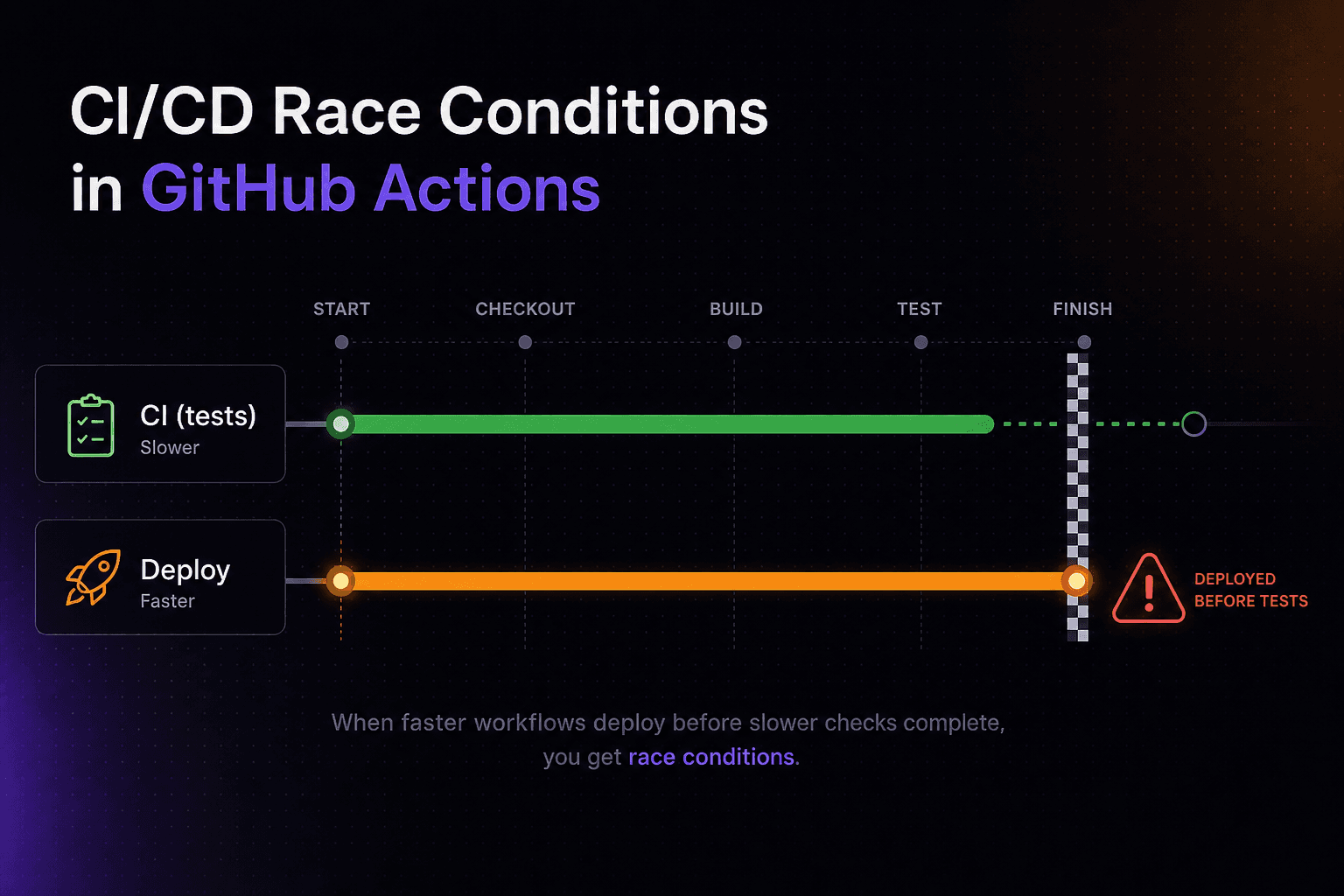
The default on: push trigger in GitHub Actions fires every workflow simultaneously. Your CI pipeline and your deploy pipeline start at the same moment, with no awareness of each other. If your tests take four minutes and your deploy takes two, broken code reaches production two minutes before the first test result comes in.
This is not a theoretical edge case. It is the default behaviour of most CI/CD setups built from tutorials. And it's something we fixed early on at Backarch before it could bite us.
Why on: push creates a race you can't win
When you push to main, GitHub fires every workflow that listens to that event in parallel. There is no implicit ordering. No handshake. No queue.
Your CI workflow runs tests. Your deploy workflow builds and ships the Docker image. They're independent processes. GitHub doesn't know or care which finishes first.
The race condition is invisible until it matters. At small scale, your tests usually finish fast enough that the deploy is already healthy by the time a failure surfaces. Then one day your test suite grows, or a dependency takes longer to install, or you add a slow integration test. And for the first time, broken code is on production before your monitoring picks it up.
# This is the race. Both workflows start simultaneously on push.
on:
  push:
    branches: [main]
The fix is one trigger change in the deploy workflow:
# Deploy only starts when CI completes successfully.
on:
  workflow_run:
    workflows: ["CI"]
    types: [completed]

jobs:
  deploy:
    if: github.event.workflow_run.conclusion == 'success'
workflow_run listens for another workflow to finish. The if condition on the job ensures that only a green CI run triggers a deploy. A failed test, a lint error, a type error. Any of these stops the deploy before it starts.
Two things about workflow_run that will burn you if you don't know them
It only fires from the base branch. If you push a commit on a feature branch, CI runs. But the deploy workflow does not, because the branch isn't main. This is usually exactly what you want. The catch is that it also means you can't verify changes to deploy.yml on a feature branch. If you update the deploy workflow, you have to merge to main to confirm it works. Worth knowing before you spend twenty minutes wondering why your workflow "isn't running."
It matches by workflow name, not by filename. The trigger references the name: field in your CI workflow YAML, not the filename. If your CI file is ci.yml but contains name: Continuous Integration, the trigger must be workflows: ["Continuous Integration"], not workflows: ["CI"]. A mismatch here produces a trigger that silently never fires. No error, nothing in the logs, just a deploy that doesn't happen.
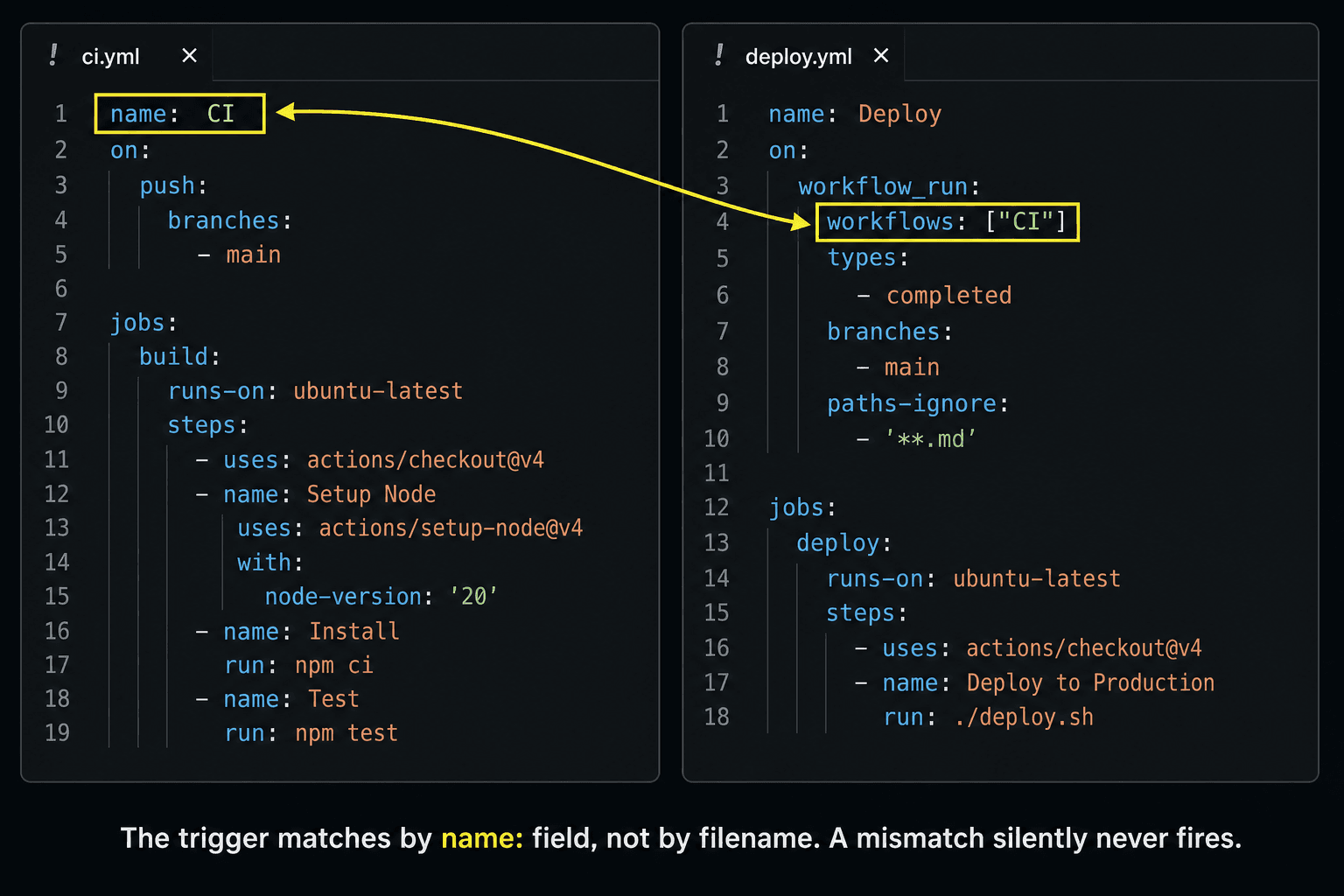
A workflow_run name mismatch won't error, the deploy just never fires. Always double-check the name: field in your CI YAML matches the string in your deploy trigger exactly.
Tag every image with its git SHA
Every deploy should push two Docker tags:
docker build \
  -t $ECR_URI:${{ github.sha }} \
  -t $ECR_URI:latest \
  .
docker push $ECR_URI:${{ github.sha }}
docker push $ECR_URI:latest
The deploy script pulls :latest. Simple, no SHA coordination needed at runtime. The SHA tag stays in the registry indefinitely and answers one specific question during incidents: what exact commit is running right now?
Label the container at deploy time so you can answer that question directly on the server, without touching the registry:
# In your deploy step: run the container with the SHA baked in as a label
docker run -d \
  --name myapp \
  --label "git.sha=${{ github.sha }}" \
  $ECR_URI:latest

# On the server during an incident
docker inspect myapp --format '{{ index .Config.Labels "git.sha" }}'
# → a3f92bc1d4e56789...
# That SHA → git log → the commit → the PR that introduced the bug
:latest is for convenience. The SHA tag and the container label are for accountability. You need both.
Don't call the deploy done when docker run -d exits zero
docker run -d starts the container as a daemon and returns immediately with exit code 0. It does not wait for your app to be healthy. If the container crashes on startup (misconfigured environment variable, a failed database migration, a bad import), docker run -d still exits 0 and your workflow shows a green deploy.
A post-deploy health check loop catches this:
echo "Waiting for health check..."
for i in $(seq 1 12); do
  sleep 5
  if curl -sf http://localhost:8000/v1/health; then
    echo "Health check passed on attempt $i"
    exit 0
  fi
  echo "Attempt $i/12 failed, retrying..."
done
echo "Container failed to become healthy in 60s"
exit 1
12 attempts at 5-second intervals = 60 seconds maximum. If the app doesn't respond to /v1/health within 60 seconds, the deploy step exits non-zero. GitHub Actions marks the run failed. The team gets notified.
This does not auto-roll back. The broken container is still running when the script exits. What it does is ensure nobody mistakes a broken deploy for a successful one. The health check's job is accurate signal. Manual intervention, a rollback script, or a more sophisticated orchestrator handles recovery from there.
The Dockerfile has a matching HEALTHCHECK instruction for docker ps status. The two serve different audiences: the Docker healthcheck is for the container runtime; the deploy poll is for GitHub Actions.
Clean up old images, but not the SHA tags
At the end of every successful deploy:
docker image prune -fThis removes dangling (untagged) layers that accumulate with each build. It does not remove tagged images. Your SHA tags in the registry are safe. The server disk stays clean; your audit trail stays intact.
When we shipped the first version of Backarch, this deploy pattern was in place before the first external user hit the endpoint. The reasoning was simple: a broken deploy is a support problem and a trust problem simultaneously. Broken-on-first-deploy is a reputation you can't easily recover from.
A deploy that fires before tests finish isn't really using CI. It's just running tests as a post-mortem. The fix is seven lines of YAML.